

8-Inch Landscape Format
The wide landscape layout provides a clear view of primary flight, moving-map, engine and supplemental information while fitting panels where an 11.6-inch display may not be practical.


AXIS flight display support for twin-engine installations with the GFC 500 is coming soon.
Compatibility coming soon.
AXIS flight displays support limited integration with autopilots from another manufacturer when interfaced to a GI 275 standby instrument. Supported functions include NAV source selection, course and heading selection, and GPSS mode.
Compatible models: Aero 452-201, 454, 455, 551, 553 and 851.
Compatibility coming soon.
SiriusXM® support coming soon.
SiriusXM support coming soon.
VNAV capability is available when paired with AXIS flight displays.
VNAV capability is available when paired with AXIS flight displays.
VNAV capability is available when paired with AXIS flight displays.
The AXIS flight display system does not support COMM functionality for this LRU. The COMM radio must be controlled directly through the LRU.
The AXIS flight display system does not support COMM functionality for this LRU. The COMM radio must be controlled directly through the LRU.
The AXIS flight display system does not support COMM functionality for this LRU. The COMM radio must be controlled directly through the LRU.
An ADAHRS-equipped model is required.
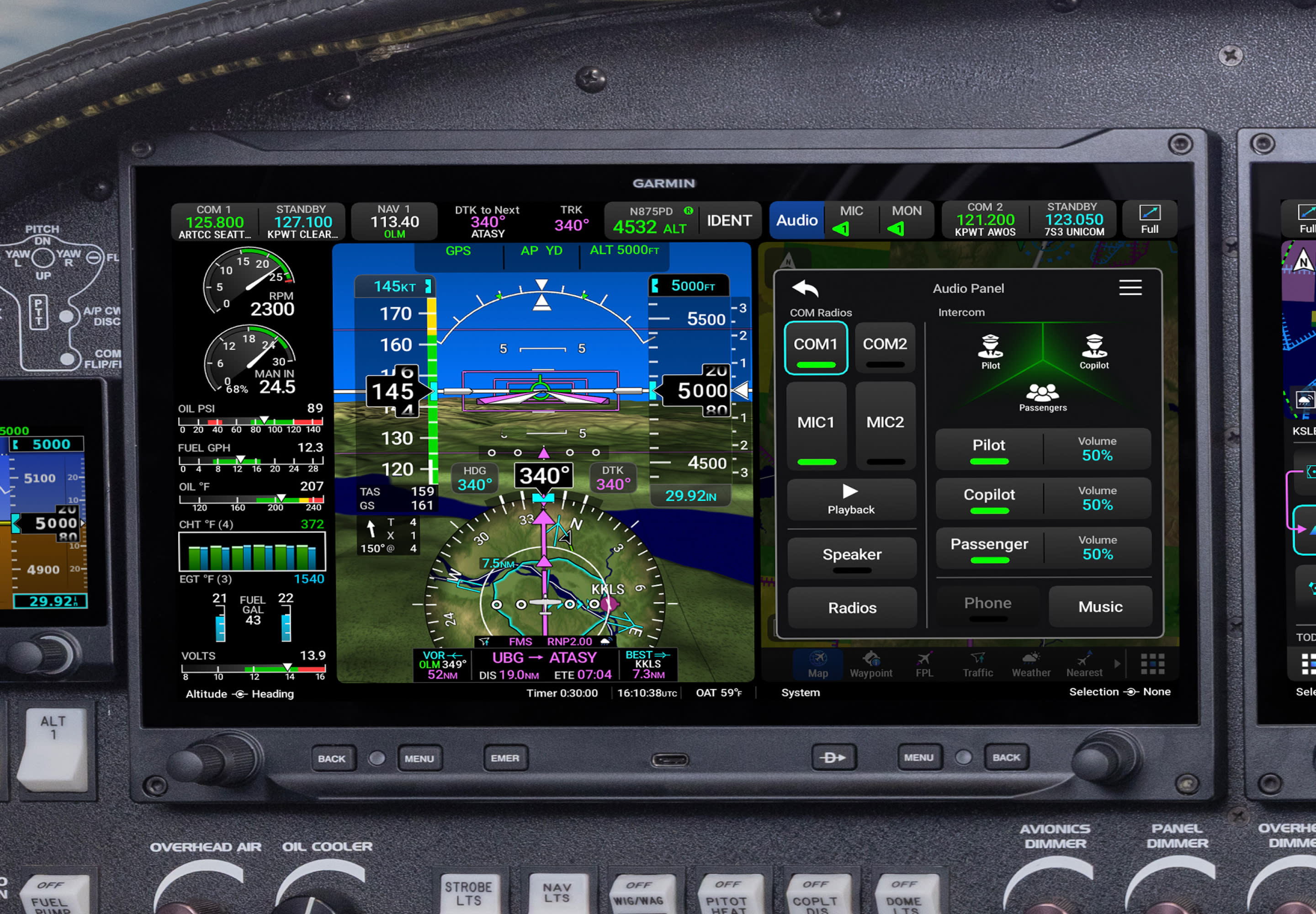
Garmin AXIS™ GDU 80L, Unit Only — 8" Landscape Flight Display brings next-generation primary flight, multifunction and available engine indication capability to eligible certified aircraft in a compact, full-HD format. Part number 010-04145-00 includes an internal GPS receiver for VFR navigation and can operate as a stand-alone PFD or as an additional PFD, MFD or split-screen MFD/EIS display within a compatible AXIS system.
View flight, navigation, mapping, engine and system information on an 8" landscape display with 1920 × 1080 full-HD resolution. Its compact format is designed to fit a wide variety of panels while providing the modern graphics, configurable windows and familiar operating environment of the AXIS flight display family.
Configure the GDU 80L as a stand-alone primary flight display or install it as an additional display in a larger AXIS system. Supported configurations include PFD, MFD and split-screen MFD/EIS presentation when the display is connected to the required compatible sensors, engine interface and avionics.
Operate AXIS through its capacitive touchscreen, two dual-concentric knobs and six bezel softkeys. Context-sensitive controls allow many display functions to be managed by touch or through tactile input, while the dedicated EMER control provides direct access to supported emergency functions.
The GDU 80L can serve as the center of a compact Garmin AXIS installation or as an additional display within a larger certified system. In a compatible PFD configuration, it presents attitude, airspeed, altitude, heading, vertical speed, navigation guidance and other essential flight information supplied by the aircraft’s connected sensors and avionics. Multifunction configurations can display dynamic mapping, flight plans, waypoint data, terrain, obstacles and available ADS-B traffic or weather overlays. Available awareness features include enhanced synthetic vision, 3D SafeTaxi® airport diagrams, customizable data fields and an MFD-style moving map within the HSI.
The GDU 80L includes an internal GPS receiver intended for VFR navigation, mapping and position functions. It is not an AXIS model with an integrated IFR navigator, COMM radio, VHF NAV receiver or audio panel. Compatible external navigators, radios, audio panels, autopilots, transponders, datalinks and traffic systems can be incorporated according to the aircraft’s approved configuration. A compatible external IFR navigator is required when the panel needs approved IFR GPS or conventional VHF NAV guidance.
The landscape GDU 80L measures approximately 8.00" wide by 5.93" high by 2.83" deep, with approximately 2.15" of installation depth behind the panel face. It uses the same panel cutout and screw points as the Garmin 7" G3X Touch™ display, creating a practical upgrade path for qualifying installations. Certified AXIS systems can combine compatible 8" landscape, 8" portrait and 11.6" displays, with support for as many as four displays depending on the approved aircraft configuration.
This listing is for the GDU 80L display unit only and does not represent a complete AXIS system. Aircraft eligibility, sensor and connector kits, external navigator compatibility, ADAHRS and magnetometer requirements, engine monitoring equipment, radios, audio equipment, autopilot integration, datalink interfaces, antennas, wiring and mounting provisions must be confirmed for the specific aircraft. Contact Neal Avionics before ordering so we can verify part number 010-04145-00 and help identify the additional components required for your installation.
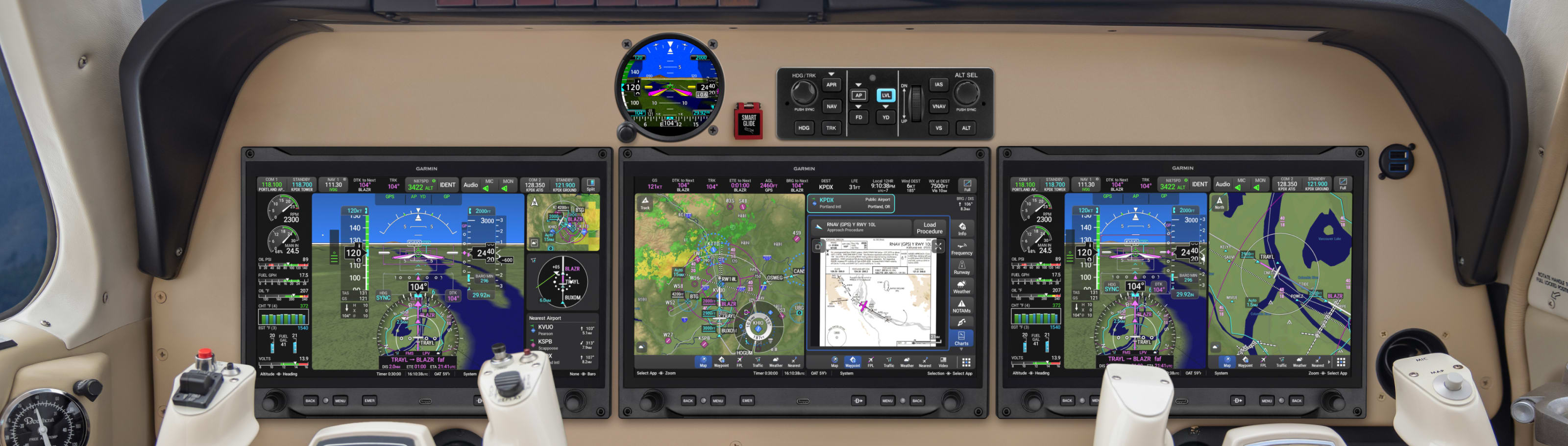
AXIS™ 8-Inch Certified Flight Display
A compact, full-HD landscape flight display for eligible certified aircraft. Configure it as a stand-alone primary flight display or add it to a larger AXIS system as a PFD, MFD or split-screen MFD/EIS display.
Powerful Display. Versatile Installation.
The Garmin GDU 80L brings the next-generation AXIS interface to certified aircraft in a space-efficient 8-inch landscape format. Use it as the primary display in a compact panel or combine it with other compatible AXIS displays to create a larger, configurable flight-deck system.
The wide landscape layout provides a clear view of primary flight, moving-map, engine and supplemental information while fitting panels where an 11.6-inch display may not be practical.
Configure the GDU 80L as a stand-alone PFD or use it as an additional display in a larger AXIS installation, including MFD and split-screen MFD/EIS configurations.
Operate AXIS with its capacitive touchscreen, two dual-concentric knobs and six bezel softkeys, giving the pilot both direct touch interaction and physical control.
Part number 010-04145-00 is the certified GDU 80L landscape display unit. It includes an internal GPS receiver for VFR navigation, but it is not one of the AXIS models with integrated IFR GPS, NAV/COMM or audio-panel capability. Sensors, connector kits, external avionics and other components required for a complete installation are selected separately.
A Vision for Flight
Explore the modern AXIS interface, display architecture and flexible panel possibilities through Garmin’s flight display overview.
 Watch A Vision for Flight
Configurable Display Roles
The GDU 80L can adapt to the aircraft’s panel layout and installed equipment, providing primary flight, multifunction or available engine-information presentation.
Upgrade the panel with an all-digital primary flight view presenting attitude, airspeed, altitude, heading, vertical speed, navigation guidance and other configured flight information. Customizable data fields and quick-access controls place important information within easy reach.
View dynamic mapping, flight-plan information, terrain, obstacles and available ADS-B traffic or weather overlays. An intuitive radial menu provides touch access to waypoint information and supported flight-plan changes.
When paired with the required compatible engine interface, sensors and approved configuration, AXIS can provide real-time engine data, gauges, fuel-computer information, alerts, advisories and lean-assist functions.

AXIS offers 8-inch landscape and portrait formats alongside the larger 11.6-inch display family. Certified installations can combine compatible display formats to make better use of available panel space and provide additional PFD, MFD or engine-information views.
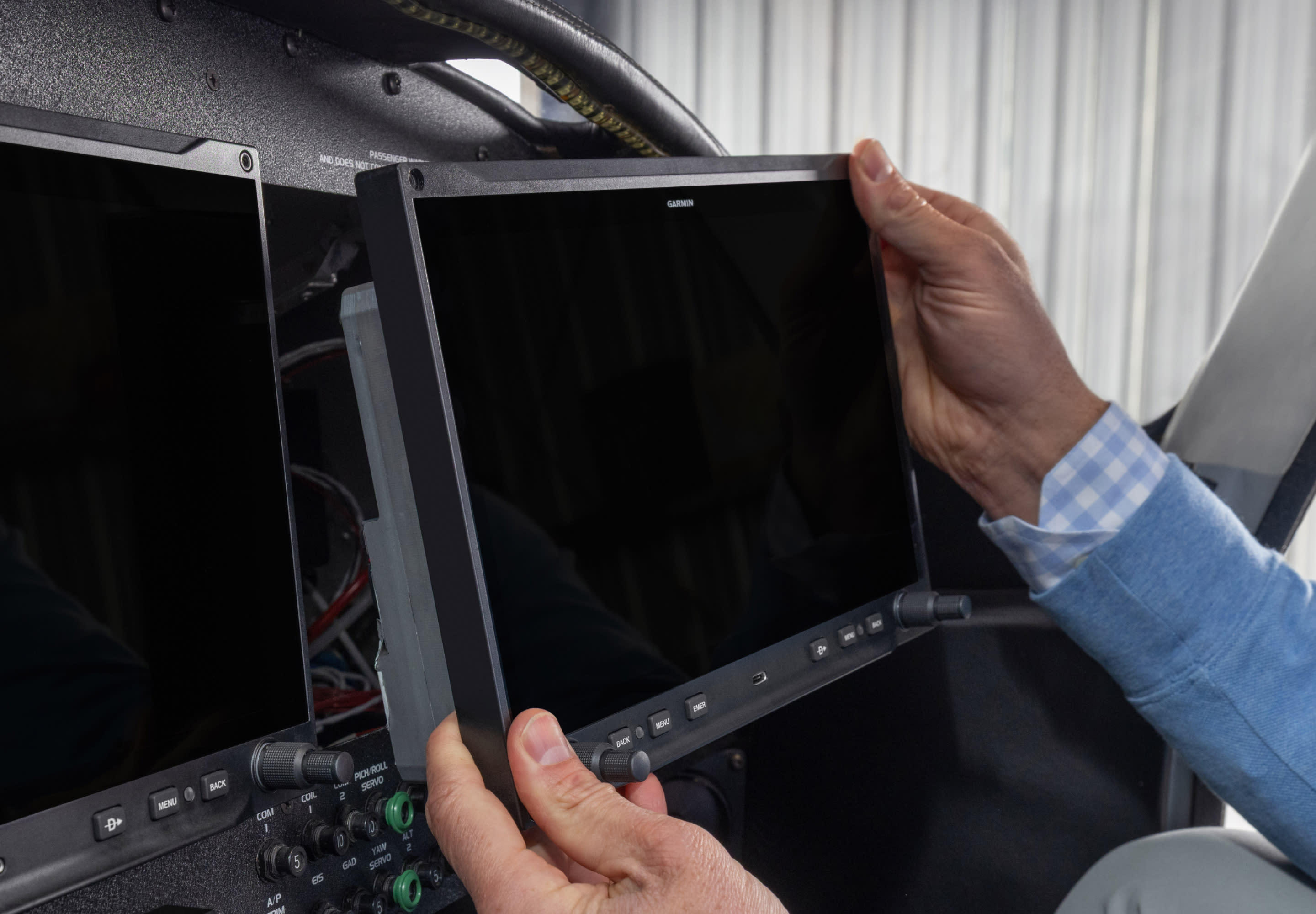
Compact Installation
The GDU 80L uses the same panel cutout and screw points as the Garmin 7-inch G3X Touch display. This familiar footprint can help create a more practical path to AXIS for qualifying aircraft with an existing Garmin display installation.
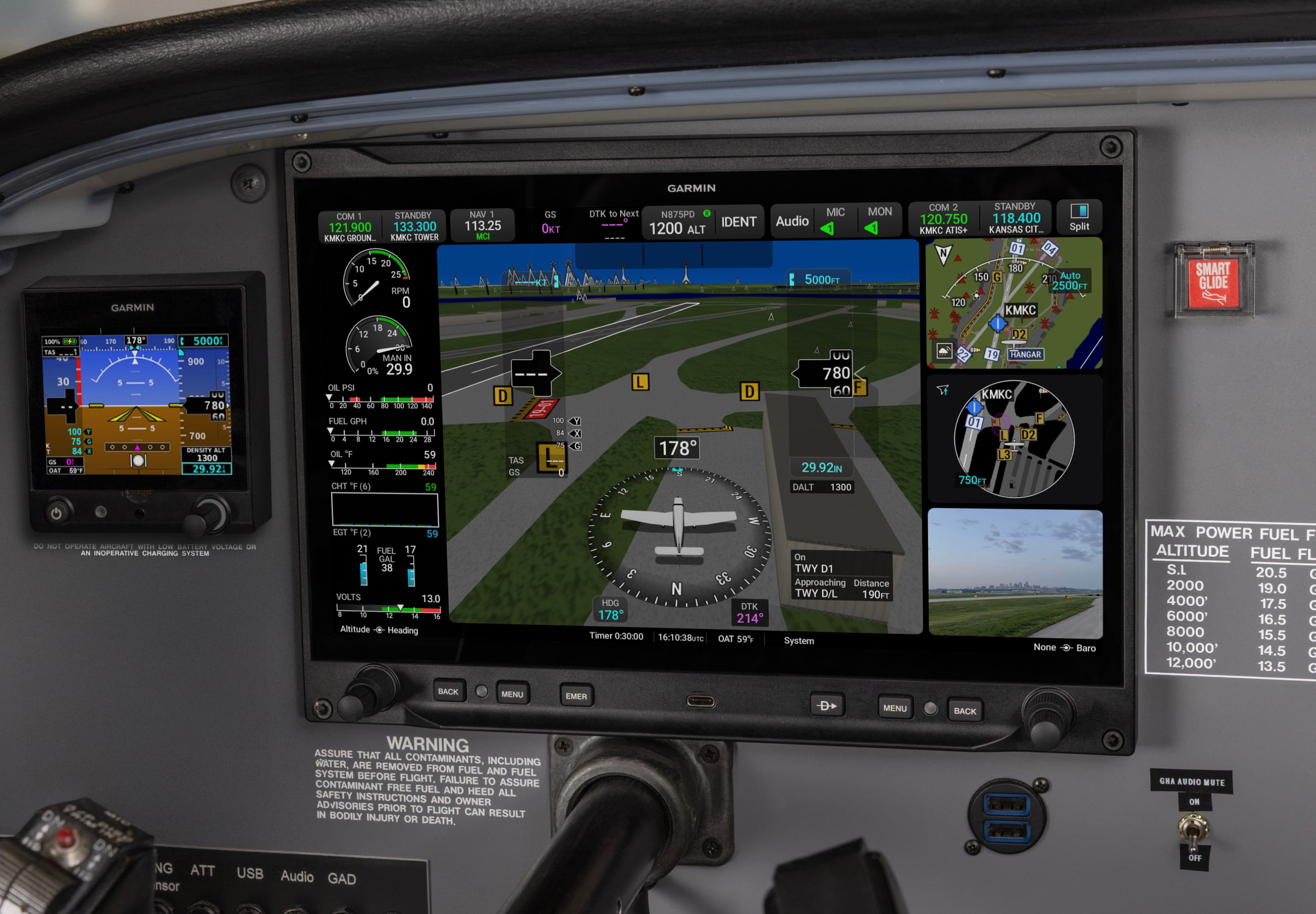
Situational Awareness and Safety
Depending on connected equipment and system configuration, AXIS can provide enhanced synthetic vision, 3D SafeTaxi® airport diagrams, traffic and weather overlays, terrain and obstacle information, Runway Occupancy Awareness, SurfaceWatch™ technology and Smart Glide™ emergency assistance.
External Avionics Integration
The GDU 80L can interface with a wide range of compatible Garmin navigators, radios, audio panels, sensors, autopilots, transponders, traffic systems and datalinks. This lets the display become part of a larger system without requiring integrated navigator or radio functions inside the unit itself.
GDU 80L System Planning
The GDU 80L supplies the display platform. Sensors, navigation, communication, audio and optional system functions are configured around the aircraft’s existing equipment and planned upgrade.
The GDU 80L includes an internal GPS receiver for VFR navigation, mapping, position and related flight-display functions.
A compatible external IFR navigator can be integrated when the installation requires approved IFR GPS or conventional VHF NAV guidance.
Select compatible external GPS navigators, NAV/COMM equipment, remote radios and audio panels according to the aircraft’s mission, panel space and desired redundancy.
AXIS allows compatible 8-inch landscape, 8-inch portrait and 11.6-inch displays to be combined within supported certified installations. Garmin permits as many as four displays in a certified AXIS system, depending on the approved configuration.
A rear HDMI connector allows the AXIS display to show video from a compatible external source. Video can be presented on a dedicated MFD page or within a widget on the primary flight display.
Built-in Wi-Fi® technology supports compatible database-download functions, while Bluetooth® technology supports connections with compatible mobile devices and apps, including Garmin Pilot™ and ForeFlight Mobile.
The AXIS USB-C data port supports compatible database and software updates, checklist files, flight-data logging, track-log and user waypoint exports, and flight-plan transfers.
System Highlights
Choose the Correct 8-Inch Display
AXIS 8-inch displays are available in landscape and portrait formats for certified and experimental aircraft. Verify the aircraft category and desired orientation before ordering.
| GDU and Part Number | Format | Certification | Internal GPS |
|---|---|---|---|
| GDU 80P 010-04143-00 | Portrait | Certified / TSO | VFR |
| GDU 80PX 010-04142-00 | Portrait | Experimental | VFR |
| GDU 80L 010-04145-00 This Product | Landscape | Certified / TSO | VFR |
| GDU 80LX 010-04144-00 | Landscape | Experimental | VFR |
GDU 80L Landscape Specifications
Confirm final clearance, connector access, cooling, mounting provisions and wiring requirements through the approved Garmin installation documentation.
Ownership and Support
Garmin provides documentation, training resources and aviation product support to help aircraft owners understand and operate their AXIS flight display system.
Review the applicable pilot guide, approved aircraft model list, STC information and installation documentation before finalizing the display system.
Garmin offers classroom and eLearning options, trainer software, webinars and seminars to help pilots become familiar with AXIS operation.
AXIS is backed by Garmin’s aviation product-support organization and the warranty coverage applicable to the purchased equipment.
Neal Avionics System Planning
The GDU 80L unit is only one component of a complete certified aircraft avionics system. Aircraft eligibility, sensor and connector kits, external navigator compatibility, ADAHRS and magnetometer selection, engine-interface requirements, radios, audio equipment, autopilot integration, datalink and transponder compatibility, wiring, antennas and installation labor must all be evaluated for the specific aircraft. Contact Neal Avionics before ordering so we can confirm part number 010-04145-00 and help configure the correct AXIS system for your panel.
Review detailed technical specifications, compatible avionics interfaces and available product documentation for the Garmin AXIS GDU 80L 8-Inch Landscape Flight Display Unit | 010-04145-00. This information can help aircraft owners and operators understand the product’s physical requirements, supported equipment and installation considerations.
Specifications and compatibility information are provided for general reference and may change without notice. Final aircraft eligibility, approved configuration, equipment compatibility and installation requirements must be confirmed by Neal Avionics before installation.